
Approval workflows
Route expense reports to the right approvers
Build approval workflows around your team's responsibilities and report amounts. Reimgo checks policies before submission, sends each report through the required reviews and keeps receipts, warnings and decisions together. Managers review from a phone or laptop, and finance reviews last.
7-day free trial. No card needed. Cancel anytime.
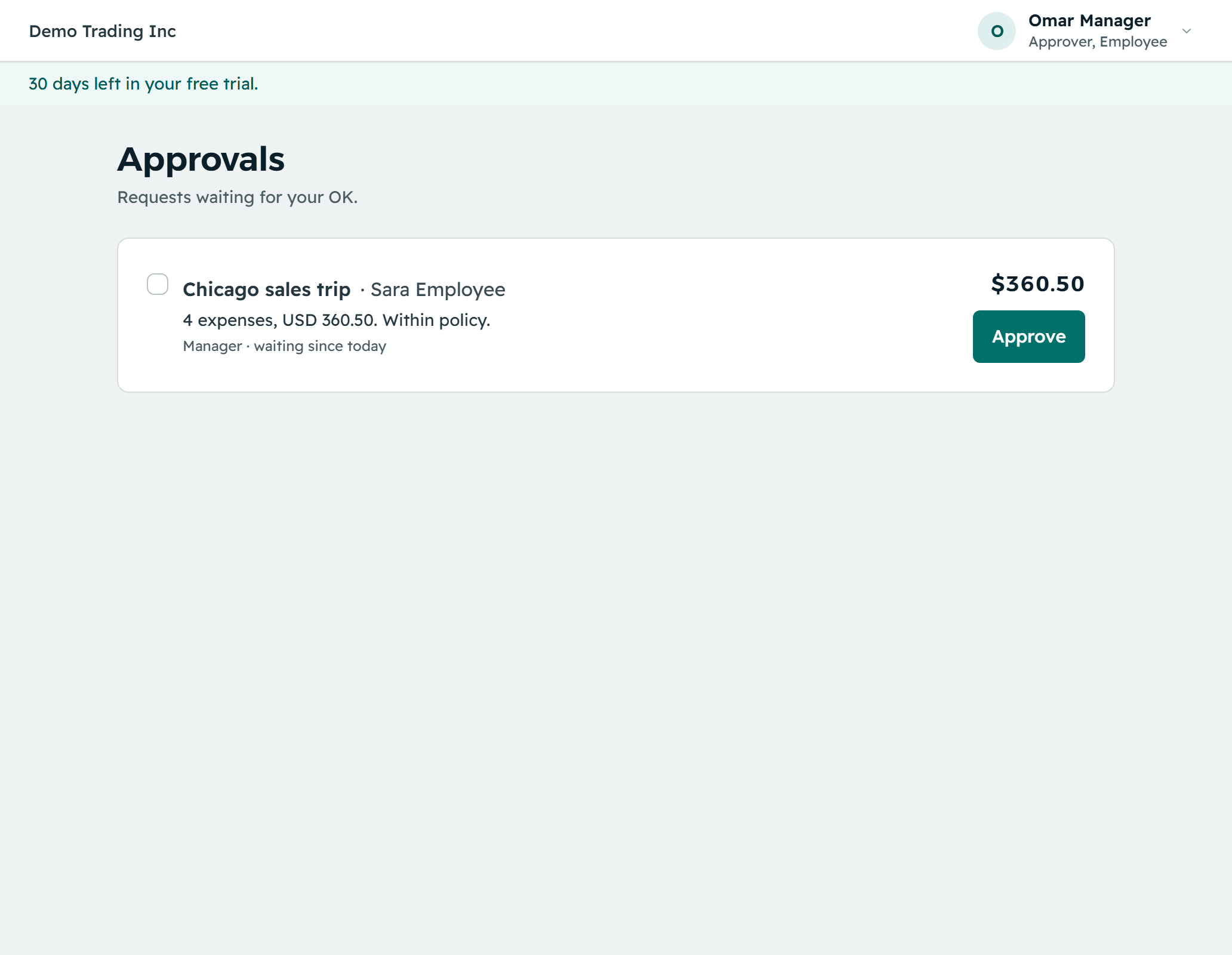
From submitted report to a recorded decision
- Check policies before submissionReimgo checks spending limits, receipt requirements, submission deadlines and your other rules. Employees see a plain explanation of anything they need to fix.
- Send the report through the right workflowSet up approval steps for managers, a manager chain, cost center owners, department heads, named people or roles. Reimgo uses the first workflow whose conditions match the report.
- Review the claim with its supporting detailsApprovers see the report total, each expense, its receipt and any policy warning, then approve or return the report with a note explaining what needs changing.
- Keep the decision history togetherApprovals, returns, notes and delegated decisions stay in the report history, so employees and finance can see what happened and who acted.
Keep approvals moving without losing oversight
Add review steps for higher-value reports
Use the report total to choose the workflow. A routine claim follows a short route; a larger report can require an extra reviewer.
Keep finance as the final review
Finance reviews after the earlier approval steps, before the report is ready for reimbursement preparation.
Follow up on waiting reports
Set reminder and escalation times for your company. A waiting report triggers a reminder email and can escalate to the approver's manager or an admin.
Arrange cover during absences
Approvers delegate to a stand-in for a set period. The approval record shows both the original approver and the person who acted.
Review the latest version
If a report changes after an approver opens it, Reimgo refuses the approval of the outdated version and shows the updated report instead.
Keep everyone informed
Approvers get an email with the report total, the submitter and a link. Employees get an email when a report is approved, returned or marked paid.
Apply your expense policy before approval
Choose whether each rule warns or blocks. A blocking issue must be fixed before the report can be submitted; a warning stays visible to the approver.
| Policy check | Example |
|---|---|
| Spending limits | Flag a meal over the configured limit, or a hotel night above the cap for a city. |
| Receipt requirements | Require a receipt for expenses above a chosen amount. |
| Blocked categories | Stop claims for categories your company does not reimburse. |
| Submission deadlines | Flag expenses submitted outside the allowed period. |
| Possible duplicates | Flag an expense with the same merchant, date and amount as an existing one. |
| Required descriptions | Ask who attended and why for a client meal. |
Self-approval is off by default
Reimgo skips any approval step assigned to the person who submitted the report, so nobody approves their own claim. By default this also stops finance users approving their own expenses.
For a company where no other approver is available, an admin can switch on a limited self-approval exception. It applies only while nobody else can approve, and each such decision is recorded as self-approved.
An example: add a review for reports over $500
| Report total | Approval route |
|---|---|
| Under $500 | Manager, then finance |
| $500 or more | Manager, then department head, then finance |
An employee submits a $680 report. Reimgo picks the matching workflow and sends it to the manager, then the department head, then finance. If the manager has delegated approvals during a vacation, the stand-in reviews it, and the history shows who acted on the manager's behalf.
Questions about expense approval workflows
What is an expense approval workflow?
The sequence of people who review an employee's expense report, and in what order. In Reimgo, reports pass through the configured approvers with the policy results, receipts and decisions kept together.
How many approval levels can we have?
A workflow can have several steps, with finance reviewing last. A common setup is a manager followed by finance, with a department head or another reviewer added when needed.
Can we route reports by amount?
Yes. Workflow conditions include the report total. Reimgo uses the first matching workflow, and a default manager chain applies when no configured workflow matches.
Can cost center owners or department heads approve reports?
Yes. Approval steps can use cost center owners, department heads, managers, named people or roles.
Can an owner approve their own expenses?
Not by default. For a company where nobody else can approve, an admin can switch on a limited self-approval exception. It applies only while that is true, and each such decision is recorded as self-approved.
Can approvers edit an employee's expense?
No. Approvers review and decide; they do not change the figures. They return the report with a note so the employee can correct it and resubmit.
Do policy rules block submission or just warn?
Either. Each rule is set to warn or block. A blocking rule stops submission until the issue is fixed, while a warning is shown to the approver.
What happens when an approver is away?
The approver delegates to a stand-in for a set period, and Reimgo records who approved on their behalf. Reminders and escalation also follow up on waiting reports.
Can we approve reports from email or Slack?
No, not today. Approvals happen in Reimgo. The notification email includes a link that opens the report.
See your approval process in action
Start your free trial, set up an approval workflow and send a report through review with its receipts attached.