
User roles and permissions
Give your team the right access to expenses
Assign clear responsibilities for submitting expenses, reviewing reports, preparing reimbursements and managing company settings. Reimgo's predefined roles let employees, managers, finance and accountants work in one workspace with access suited to their jobs, and a person can hold more than one role.
7-day free trial. No card needed. Cancel anytime.
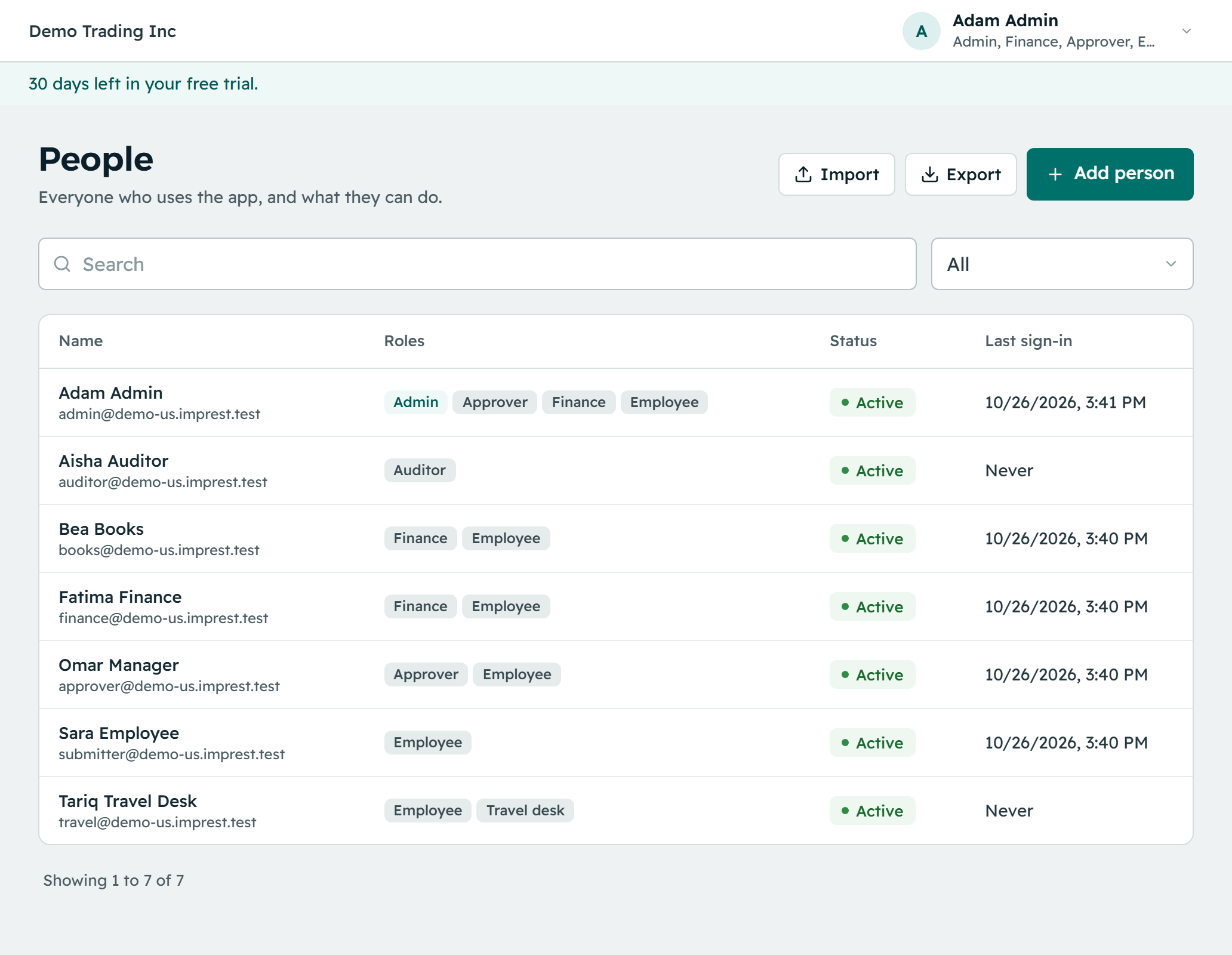
Choose roles around each person's responsibilities
Five roles cover expense management. When a person holds several roles their permissions combine, while the approval and payment controls still apply. A sixth role, Travel desk, is reserved for travel features and is not used for expenses today.
| Role | What it allows | Important boundaries |
|---|---|---|
| Employee | Capture expenses, submit reports and view their own expense history and bank details | On its own, no access to other employees' expenses |
| Approver | Review reports routed to them, approve or return them, and view their team's spending | Cannot edit expense figures; self-approval is off by default |
| Finance | Review company reports, manage reimbursement batches, record payments, export data and access bank details when authorised | Cannot release a batch containing their own reimbursement; by default a second person releases a batch they prepared |
| Admin | Manage users, roles, categories, policies, workflows, settings and billing | Approving and reimbursing need the approver or finance role as well |
| Auditor | View and export permitted expense and report records, and review audit information | Cannot change records; the company audit trail is read through the API, with no download yet |
Support people who handle more than one job
Managers who also claim expenses
Give them the Employee and Approver roles, so they submit their own claims and review the reports routed to them.
Finance staff who submit claims
Give them the Employee and Finance roles. The controls around their own approvals and reimbursement batches still apply.
Owners who run the business
An owner can hold the Admin, Finance and Approver roles, plus Employee if they also claim. Combining roles never removes the block on releasing a batch that pays them.
Keep approval responsibilities separate
Self-approval is off by default
Reports follow the configured workflow. An admin can switch on a limited exception that applies only while nobody else can approve, and reports approved under it are marked as self-approved.
Reimbursement release has its own controls
By default the person who prepares a batch cannot release it. Even with that rule switched off, nobody can release a batch containing their own reimbursement.
Manager relationships guide access and routing
Each person's manager drives the default approval route and what a manager can see. Add workflow steps where your process needs them.
Manage access as your team changes
Invite people with their own sign-in
Invite users by email and assign their roles. Each person sets their own password. The invitation link works for seven days and can be sent again.
Stronger sign-in for admins and finance
Admins and finance must use an authenticator app for two-factor sign-in. Other users can turn it on too.
Remove access when someone leaves
Deactivate a former employee to remove access while keeping their expense history. An admin can then remove their personal details, and the retained records stay under a numbered pseudonym.
Permissions stay within the company
Reimgo checks permissions on every request within the signed-in company workspace. A role in one company grants nothing in another.
Questions about user roles and permissions
Can one person have multiple roles?
Yes. A manager can hold Employee and Approver, and a finance team member Employee and Finance. The approval and reimbursement controls keep applying to their own claims.
Can we create custom roles?
No. Reimgo has six predefined roles, including the Travel desk role reserved for travel features. Combine roles to cover different responsibilities.
Can the business owner do everything?
Almost. An owner can hold the roles to administer the workspace, approve reports and manage reimbursements, but nobody can release a batch containing their own reimbursement, and self-approval is off by default with only the limited exception when no other approver is available.
Can an external accountant access Reimgo?
Yes, with their own sign-in. Use the Auditor role for read-only review and permitted exports, or the Finance role when they need finance capabilities. Finance users must set up an authenticator app.
Can approvers change an employee's expense amount?
No. Approvers review the submitted details. If something needs correcting they return the report with a note, and the employee updates and resubmits it.
Does deactivating an employee delete their expense history?
No. Deactivation removes access and keeps their expenses, reports and history. Removing personal details is a separate admin action and does not delete the retained expense documents.
Set up clear responsibilities from the start
Invite your team, assign roles and configure who reviews expenses and prepares reimbursements.