
Mobile expense capture
Capture receipts and manage expenses from your phone
Keep work expenses moving while your team is on the go. Snap a receipt and let Reimgo fill in the details. Employees review and submit their expenses, and managers approve reports with the receipts in view, all from their phones.
7-day free trial. No card needed. Cancel anytime.
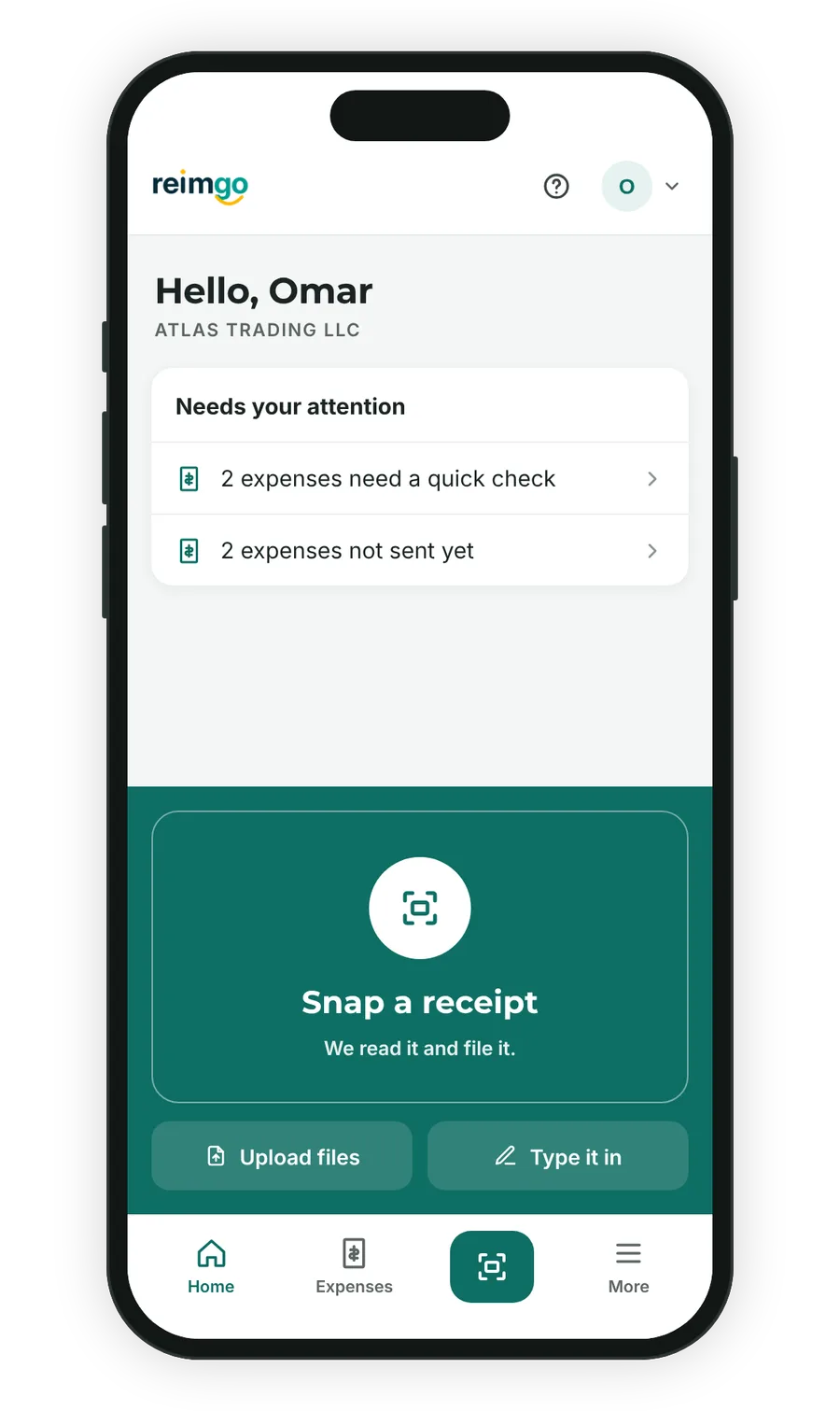
From receipt to submitted report, wherever work takes you
- Capture it while it's in your handOpen Reimgo and tap "Snap a receipt". Take a photo, choose an image from your camera roll or upload a PDF.
- Check the details without retyping themReimgo reads the merchant, date, amount, tax and currency, and suggests a category. Review the draft, make any corrections and add the project or cost center.
- Submit from your phoneBring your expenses into a report and send it for approval. Receipts stay attached, and policy warnings show what needs attention before you submit.
- Keep approvals movingManagers review the report, check the supporting receipts and approve it or send it back with a note, from their phones.
Everything you need to handle expenses away from your desk
Capture now, finish later
Save an expense while the purchase is fresh in your mind. Come back to the draft when you are ready to check the details and submit your report.
Keep receipts with the claim
The receipt stays attached to its expense, so employees, approvers and finance all look at the same supporting record.
Follow your report's progress
See whether a report is waiting for approval, has been returned for changes or is marked as paid, without sending finance another message.
Move between phone and desktop
Capture expenses on your phone and carry on in the same Reimgo account from a tablet or computer.
Capture without signal
A receipt captured offline is kept on the phone and uploaded the next time Reimgo opens with a connection, and it is read then. Lists, reports and approvals need a connection.
Get to Reimgo from your home screen
Add Reimgo to your phone's home screen, or install the Android app from Google Play. On Android, long-press the icon for New expense, Scan a receipt and Approvals.
Prefer to send the receipt on WhatsApp?
Send a receipt photo or PDF to Reimgo on WhatsApp. Reimgo creates a draft expense with the receipt attached, ready for you to review in the app. WhatsApp receipt capture is included in every plan.
Questions about mobile expense capture
How do I capture a receipt on my phone?
Open Reimgo and tap "Snap a receipt" to use the phone's camera, or choose "Upload files" for a photo already on the phone or a PDF from email. Reimgo reads it and fills in the draft for you to check.
Can I submit expense reports and approve them from my phone?
Yes. Employees build and submit reports on the phone, and approvers see the total, the lines and the receipts, with approve or send back on the same screen.
Is Reimgo available on iPhone and Android?
On Android, yes: Reimgo is on Google Play. On iPhone it runs in the browser and installs to the home screen, where it opens full screen like an app.
Can I capture receipts without an internet connection?
Yes, for capture. A receipt taken offline is saved on the phone and uploaded the next time you open Reimgo with a connection, and it is read then. Lists, reports and approvals need a connection.
Can I use the same account on my phone and laptop?
Yes. It is one account and one web app. Capture on the phone, then review or finish on a tablet or computer.
Does Reimgo track my location?
No. Reimgo does not use GPS or location services.
Your next expense report can start with one photo
Try Reimgo on your phone. Capture a receipt, review the draft and send your first report for approval.