
Expense reports
Bring expenses and receipts together in one report
Create expense reports for a trip, a client or a month, with totals calculated and receipts attached. Employees check their claims before submitting, approvers review the supporting details, and finance prepares approved reports for reimbursement.
7-day free trial. No card needed. Cancel anytime.
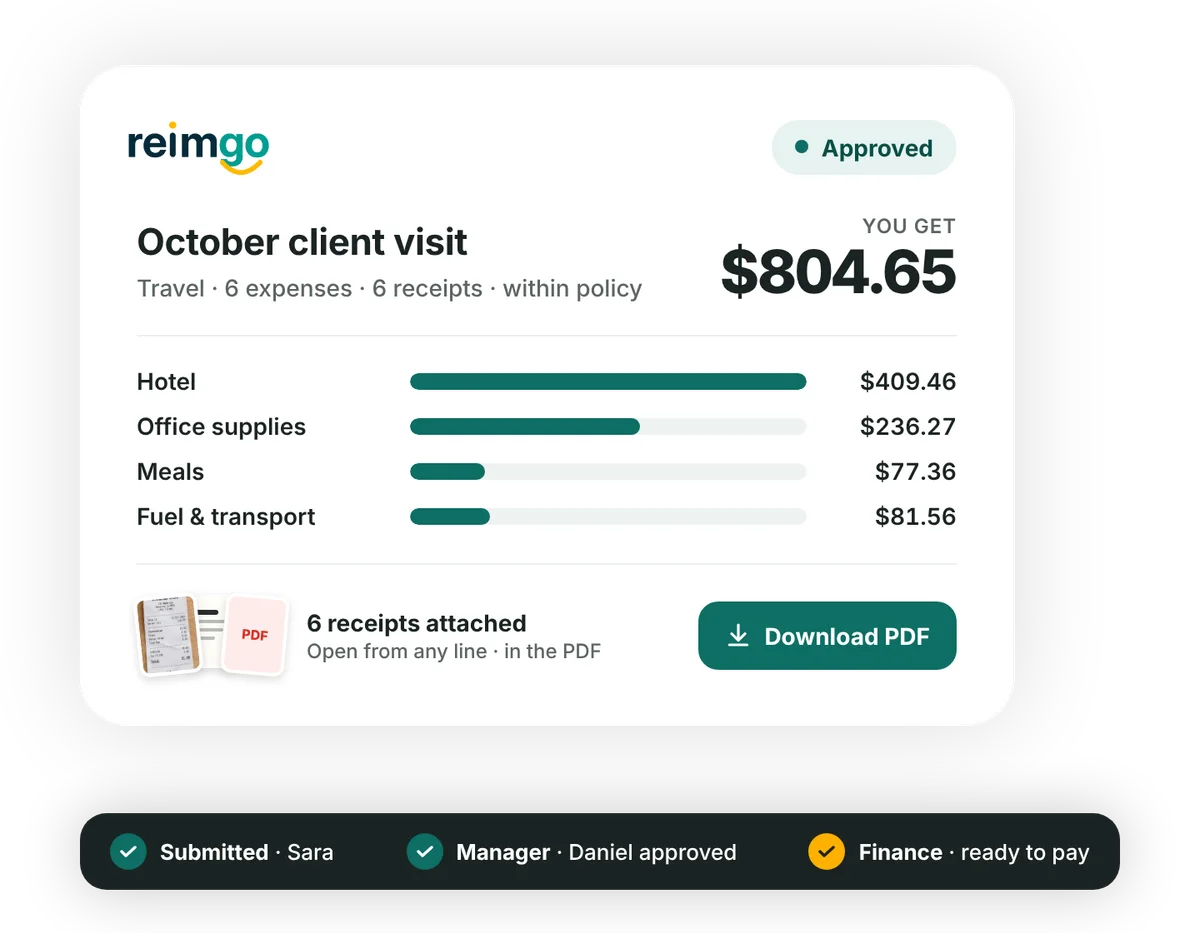
From individual expenses to a report ready for approval
- Build a report around the workGive the report a title and add the relevant expenses: receipts captured through WhatsApp, email or Reimgo, alongside any expenses typed in by hand.
- Check the details before submittingReview the totals, receipts and policy warnings together. Reimgo describes each issue in plain language so employees can fix it before sending the report for approval.
- Send the report to the right peopleSubmitting locks the report for review, starts the approval workflow and emails the first approver. Managers review the expenses and their receipts together.
- Follow decisions and keep the recordSee who approved the report, whether anything needs correcting and when finance records the reimbursement. Download a PDF with the expense lines, totals, policy checks, approval steps and attached receipts.
Everything you need to review an expense report
Clear totals at a glance
The report total and a breakdown by category in your company currency, with the original foreign-currency amounts shown alongside.
Receipts alongside each expense
Approvers and finance open the receipt attached to each expense while reviewing the report. The supporting documents also travel with the downloaded PDF.
Report types that fit your process
Admins can define report types, such as Travel or Monthly, and use them to route approvals.
Corrections with the history intact
Submitted reports are locked for editing. If an approver sends a report back, the employee corrects it and resubmits, and the earlier decisions and notes stay in the history.
A record of every decision
Submissions, approvals, returns, rejections and recorded reimbursements appear in the report history with the person responsible, the date and any note.
One report list for finance
Find and review reports with filters, sorting and totals, and export the list to CSV or Excel for further analysis.
Understand where each report stands
Reimgo records the reimbursement status. Your business makes the payment through its existing payroll or bank.
| Status | What it means | Who acts next |
|---|---|---|
| Draft | The employee is preparing the report and can still change its expenses. | Employee |
| Submitted | The report is in the approval workflow. It can be withdrawn before the first approval. | Assigned approver |
| Sent back | An approver has returned the report with a note asking for changes. | Employee |
| Rejected | The report has been declined with a reason and kept for the record. | Nobody |
| Approved | Manager approval is complete. Finance reviews the report next. | Finance |
| Ready to pay | Finance has approved the report for the next payment batch. | Finance |
| Paid back | Finance has marked the payment batch paid. The date and method are shown. | Nobody |
One client trip. All the expenses together.
After a client visit, an employee brings the hotel, meal and transport expenses into one report. Each expense already has its receipt attached. Before submitting, she checks the total and clears any policy warnings. Her manager reviews the report with the receipts to hand, and finance prepares the approved claim for reimbursement.
The report PDF keeps the expense details, receipts and approval record together for later reference.
Questions about expense reports
What is an expense report?
A group of work-related expenses submitted together as one claim for review and reimbursement. In Reimgo it carries the expense details, totals, supporting receipts, policy checks and approval history.
Can employees create a report for a trip, client or month?
Yes. A report can cover a trip, a client, a month or whatever suits your process, and admins can define report types. Trip objects with per diems are not part of the product today.
Can one expense appear in two reports?
No. Each expense belongs to one report. If the cost is shared between projects or cost centers, split the allocation inside the expense.
Can a report be submitted without receipts?
It depends on your expense policy. A receipt-required rule can block submission. If the rule only warns, the employee gives a reason that the approver can see.
Can approvers see the receipt images?
Yes. Each expense opens its receipt, and the approver can view the cleaned image or the original.
Can employees change a report after submitting it?
Not directly. Submitted reports are locked. An employee can withdraw a report before its first approval, and an approver can send it back so the employee corrects it and resubmits.
Can we download an expense report with its receipts?
Yes. The report PDF includes the expense lines, totals, policy checks, approval steps and the attached receipts.
How do employees know they have been reimbursed?
When finance marks the payment batch paid, the report shows "Paid back" with the payment date and method, and the employee receives an email.
Get your first expense report ready for approval
Start your free trial, add expenses with their receipts and send a complete report through your approval process.