
Expense reporting
Expense reporting that shows where the money went
See employee spending by category, person, project, cost center, company or month. Compare periods, investigate changes and open the expenses behind the totals. Managers get a view of their team's spending; finance gets the detail to review claims, follow approvals and prepare records for accounting.
7-day free trial. No card needed. Cancel anytime.
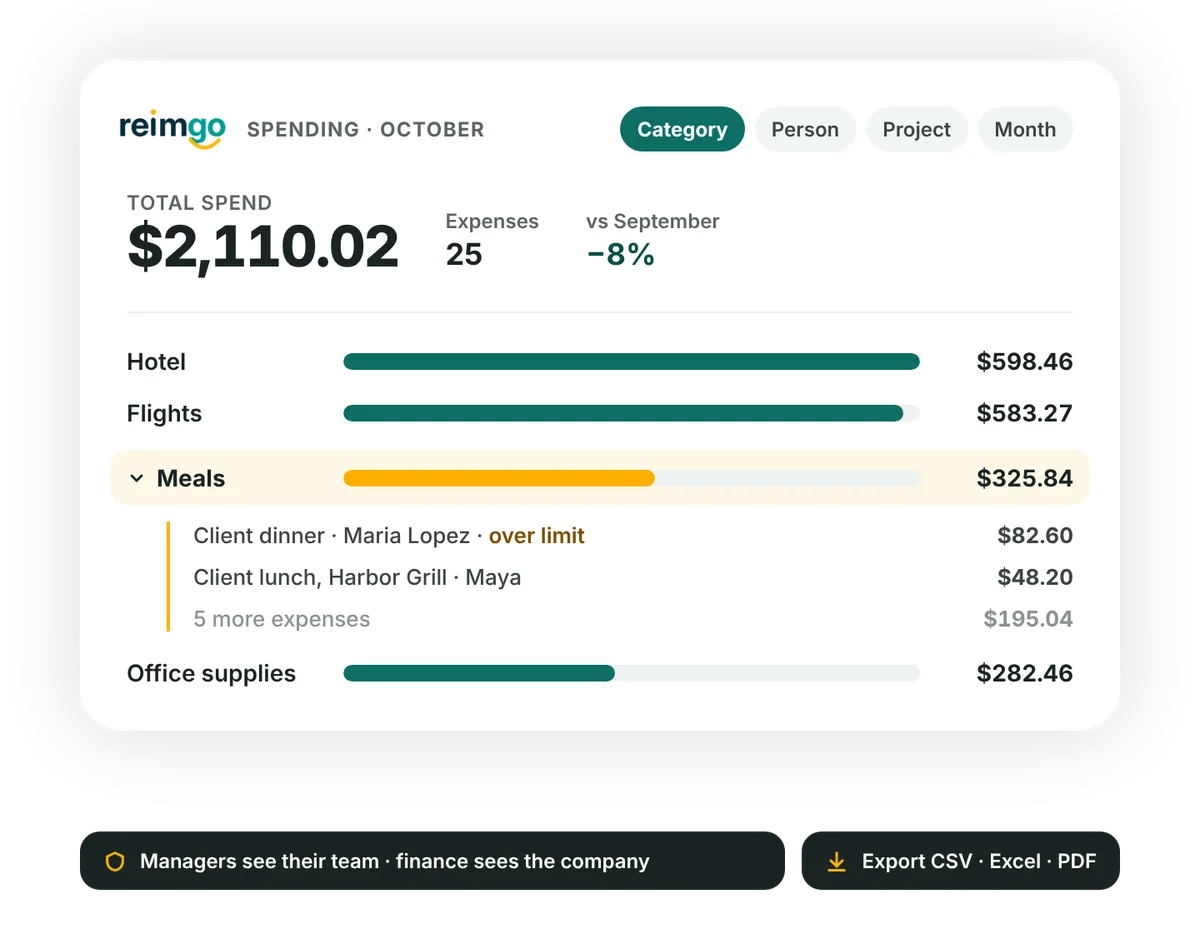
Understand what changed in your team's spending
The views show expense amounts recorded in Reimgo. They do not confirm that every expense has been reimbursed.
- View spending from different anglesReview expenses by category, employee, cost center, project, company or month, and pick a date range to focus on the period you need.
- Compare with the previous periodThe preceding period of the same length sits beside the one you chose, so increases and decreases stand out and you can investigate the expenses behind them.
- Choose which expenses to includeSwitch between approved expenses and everything submitted, so the basis is clear when you review totals or share findings.
- Open the supporting detailSelect a spending bar to open the matching expenses with the filter already applied, and review the amounts and their receipts.
Follow expense reports through approval and reimbursement
Find the reports you need
The reports register shows status, submitter, totals and dates. Filter by employee, status, company or date, then sort and export the results.
Review a complete report
Open a report for its total, category breakdown, expense lines, receipts and approval history, and download a PDF when you need a copy.
Spot approvals that need attention
The approvals queue lists the oldest requests first with their age in days, so finance can follow up before the next reimbursement run.
Filter individual expenses
Filter the expenses list by company, cost center, project, report, status or date, and export the selection for further analysis.
Export the detail behind your reports
Download the reports register and expense lines as CSV or Excel. Expense-line exports include the category, cost center and project codes, currencies, exchange rates and tax amounts. Use the files to review spending with your accountant, prepare accounting entries or examine project costs. Individual expense reports are also available as PDFs with their receipts.
Give each person the right view
Managers see spending and reports for their team. Finance, admins and auditors review records across the company according to their permissions, and an auditor can inspect company records and the audit trail without changing anything.
See how a spending increase becomes a useful answer
The owner of a 25-person consultancy reviews the expenses recorded against a London client project. Travel spending is $12,480 for the selected 30 days against $9,900 for the 30 days before. She opens the matching expenses and reviews the hotel entries to understand the increase.
Finance then exports the project's expense lines to Excel to review while preparing the client invoice.
Questions about expense reporting
What can we report on in Reimgo?
Employee expenses by category, person, cost center, project, company or month. You can compare periods, review report statuses and open the individual expenses behind the spending totals.
Can we compare spending between periods?
Yes. The spending view compares your chosen date range with the period of the same length immediately before it.
Do spending totals show only paid expenses?
No. You choose between approved expenses and everything submitted. To check reimbursement progress, look at the report's status and payment details; finance records when a reimbursement batch has been paid.
Can we report on expenses for a client?
Yes, by assigning expenses to a project for that client. Use the spending view by project, or filter the expenses list, to review and export the records.
Can we schedule reports by email?
No, not today. Reports are viewed and exported from the app.
Does Reimgo post expenses to our accounting system?
On Reimgo Connect, yes: it connects to QuickBooks Online, Xero and Zoho Books. CSV and Excel exports are available on both plans for accounting work.
Can an auditor get read-only access?
Yes. The auditor role can view company records and the audit trail without editing them.
Can we access historical reports?
Yes. Records stay available while your subscription is active. After a trial or subscription ends the workspace becomes read-only, so you can still view and export them.
See what is driving your team's expenses
Try Reimgo with your team's expense data. Review spending by project or category, open the supporting receipts and export the detail you need.